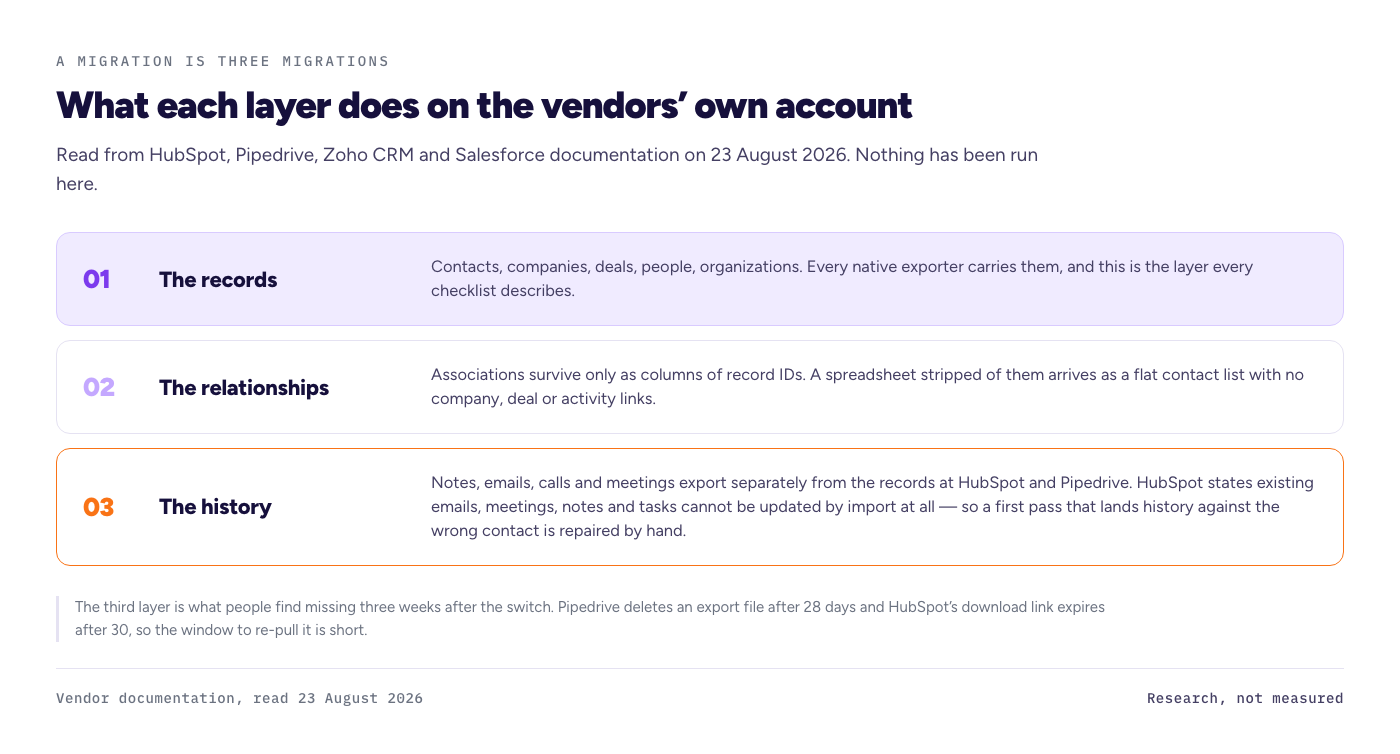
A CRM migration is three migrations stacked on top of each other, and only the first one is easy. The records move: contacts, companies, deals, people, organizations. The relationships between them move only if you carry the ID columns that describe them. The history, meaning notes, emails, calls and meetings, is where each vendor's own documentation quietly stops. That third layer is what people find missing three weeks after the switch.
Status of this page. This is the research version. Every statement below is read from HubSpot, Pipedrive, Zoho CRM and Salesforce documentation on 23 August 2026, with the page and the date named beside it. We have not run this migration ourselves yet. The measured version, with hours per phase and a loss count per leg against a published fixture, replaces this page when the run is logged, and it will say so in the same size type as the conclusion. No hours, no loss counts and no dollar total appear here, because none have been measured.
How did we test this, and what have we not run yet?
Nothing yet. The method for the migration run was written on 19 August 2026 and published before any account was opened, which is the order this site works in. As of 23 August 2026 no account has been paid for and no export has been run, so this page carries documentation only.
The protocol, for when it does run: one synthetic fixture of 100 companies, 500 contacts, 62 deals, 228 activities and 99 notes, generated by a published script with a fixed seed so anyone can rebuild the same files. No real person or company is in it. It carries the traps a real database has: mixed phone formats, blank and duplicate emails, custom fields, two pipelines, multi-currency deals and long notes. Six legs, native export and import only, no paid migration tool. A timer per phase: export, field mapping, import, fix. Verification against a fixed sample of 20 contacts, 10 companies, 10 deals and 10 notes, compared field by field.
What does each CRM's export actually contain?
Not one file. In all four systems the export is split by object, and the history is a separate download from the records. HubSpot's export documentation states that contact activities such as calls, notes and emails are not included in a standard record export. Pipedrive's export documentation is blunter still.
| CRM | What a native export covers | What is separate or absent | Read on |
|---|---|---|---|
| HubSpot | Contacts, companies, deals, tickets, custom objects and more, with associations included by default at up to one thousand associated record ID values per association column | Activities such as calls, notes and emails are not in a standard record export; they come from an individual contact export, an activity report or the engagements API. Download links expire after 30 days | 2026-08-23, knowledge.hubspot.com/import-and-export/export-records |
| Pipedrive | Leads, deals, organizations, people, products, activities, projects, notes and files, each carrying its linked items | Activities, notes and files tied to deals and contacts "must be exported separately"; files stored in Google Drive are "not exported during global export"; the export file is deleted after 28 days | 2026-08-23, support.pipedrive.com/en/article/exporting-data-from-pipedrive |
| Salesforce | Data Loader exports records to CSV and supports "up to 150 million records when used with Bulk API 2.0" | Whether Tasks, Events, Notes and Attachments ride along was not read on a Salesforce page on the day, so this page does not state it either way | 2026-08-23, developer.salesforce.com Data Loader guide |
| Zoho CRM | The export path and its object list were not read on a Zoho help page on the day, so this page does not state them | Zoho's migration documentation notes that in large migrations "attachments often constitute most of the data and might exceed upload limits" | 2026-08-23, help.zoho.com data migration overview |
Two of those cells say "not read on the day" on purpose. A detail this site cannot read on the vendor's own page does not get written from memory or from another article.
What does not come across when you import?
The importers are more permissive than their reputation, with one loud exception. Pipedrive's import documentation lists people, organizations, leads, deals, projects, activities, notes and products as importable from a spreadsheet, capped at "No more than 50,000 rows" and a "File size under 50 MB". HubSpot's import documentation states plainly that "existing emails, meetings, notes, and tasks cannot be updated via import, regardless of how you import the data."
Read that HubSpot line twice, because it is the sentence the checklists skip. New activities can be created on the way in. Existing ones cannot be corrected by re-importing. If the first pass lands your call history against the wrong contact, a second import will not fix it, and the repair is manual.
Zoho CRM's migration wizard behaves differently again. Its documentation says the wizard reports how many files are mapped, unmapped and unsupported, and that unmapped files need a module created for them by hand. Notes are listed among the modules unsupported for the upsert operation, attachments can exceed the upload limit and be added at the end, and more than ten blank rows in a file "might indicate the end of the file", after which data is ignored during import. A trailing gap in a spreadsheet can therefore silently truncate the load.
How long does a CRM migration take?
Nobody on page one answers this with a measurement. The migration service pages quote "2 to 6 hours"; the consultancy guides quote "8 to 12 weeks"; one refuses a band at all and says a few weeks to several months. Both extremes can be true, because they are timing different things.
The short number is a data load: push CSV files through an import wizard and count the rows on the other side. The long number is a project: field mapping decisions, workflow rebuilds, permissions, deduplication, user training and a cutover date. The layer that swallows the difference is the one neither number is measuring, which is the fix phase after the import summary says success.
That is why the only honest way to time a migration is in four separate phases rather than one figure: export hours, mapping hours, import hours, and fix hours, measured on a real dataset for each leg. This site has planned that run across six legs, HubSpot, Pipedrive, Salesforce and Zoho CRM in both directions, and has not performed it yet, so this page prints no hour figures at all. When the run happens, the measured table will replace this paragraph. Until then, treat any page that gives you a single confident number without saying which of the four phases it timed as marketing, not measurement.
What does a CRM migration cost?
As a shape rather than a figure, because no invoice has been raised here yet. The cost of a CRM migration is your hours multiplied by what your time is worth, plus the months you pay both subscriptions while running in parallel, plus any paid tool, plus the cost of whatever did not arrive and has to be re-entered.
Three of those four are knowable before you start, and the third is the one people forget. If the old contract is annual, leaving early does not stop the billing, so the overlap is not a choice you make, it is a term you already signed. No dollar figure appears on this page: the prices behind it have to be read on a US screen with the billing period named on the same line, and that read has not happened today.
A checklist, derived from what the documentation admits
Every line here traces to a documentation read above, not to a best-practice list.
- Export the history separately from the records. HubSpot and Pipedrive both document activities and notes as a separate export, so a single records file is not your data.
- Download and store the export within the window. Pipedrive deletes the file after 28 days, HubSpot's link expires after 30.
- Carry the ID columns. Associations survive as columns of record IDs, so a spreadsheet stripped of them arrives as a flat contact list with no company, deal or activity links.
- Get activities right on the first import into HubSpot. Existing emails, meetings, notes and tasks cannot be updated by a later import.
- Delete trailing blank rows before a Zoho import, because more than ten of them can be read as the end of the file.
- Check attachments as their own workstream, not as a field. Zoho's own guidance warns they can exceed the upload limit.
- Expect no duplicate rule to save you. Plan the deduplication as a step you perform, not a setting you trust.
- Rebuild workflows by hand. No export path in any of the four systems carries automation logic.
What this page does not tell you
It does not tell you how many records survived, because nothing has been imported here yet. It does not cover enterprise data volumes, consultant-run migrations, paid migration tools, or any origin and destination pair outside the six legs listed. It does not price any plan. It is documentation read on one date, and vendors change documentation without notice.
FAQ
How long does a CRM migration take?
Published claims run from 2 to 6 hours on migration service pages to 8 to 12 weeks on consultancy guides, read on 23 August 2026. Those are a data load and a project respectively. This site publishes measured hours per phase per leg once the run is logged, and no estimate before that.
What data is lost when you switch CRMs?
By the vendors' own documentation, the risk sits in the history and the links, not the records. Activities and notes export separately in HubSpot and Pipedrive, HubSpot cannot update existing emails, meetings, notes or tasks by import, and associations survive only as ID columns you carry.
Can you migrate a CRM yourself?
The native tools allow it. Pipedrive accepts spreadsheet imports up to 50,000 rows and 50 MB, Zoho CRM runs a migration wizard, and Salesforce Data Loader handles bulk CSV. Whether it is worth your hours is the open question this site is running the timer to answer.
Do notes and emails come across in a CRM migration?
Not automatically, and not as part of the records file. Both HubSpot and Pipedrive document them as separate exports, Zoho lists notes as unsupported for upsert, and HubSpot states that existing emails, meetings, notes and tasks cannot be updated by import at all.
What does it cost to leave a CRM?
Hours multiplied by your rate, plus the overlap months when both subscriptions bill, plus any paid tool, plus re-entry of what did not arrive. An annual contract keeps billing after you leave, so read the term before you set the cutover date.
Documentation read on 23 August 2026. This page is research-based and will be reread before it publishes. Right of reply: the specific claims on this page have not yet been sent to HubSpot, Salesforce, Pipedrive or Zoho. That goes out with a five working day deadline before publication, and the reply or the silence gets printed here.