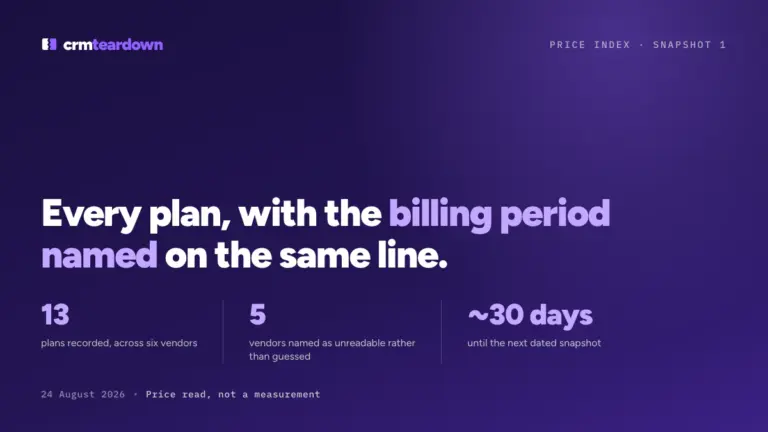
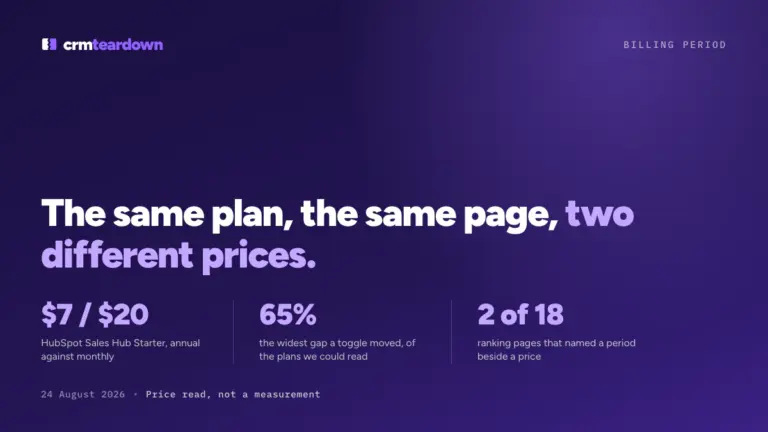
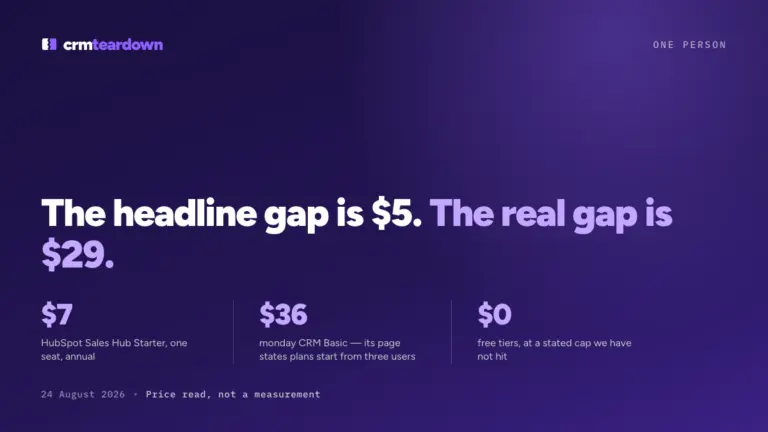
Every "CRM TCO calculator" you can find is a blank grid: type your seat count, type your seat price, get a multiplication back. The seat price was never the hard part. The hard part is the seven other lines that decide the bill, and a blank template asks you to supply exactly the numbers you came looking for. This worksheet arrives with the readable lines already filled in, dated 24 August 2026, and with the unreadable lines left deliberately empty and labeled with the reason.
Checked on 24 August 2026. Every price below was read that day on the vendor's own pricing page with the toggle switched both ways. Prices change without notice. Check the vendor's page before you buy.
Is this a test?
No. This is a price read plus arithmetic, not a measurement. No account was opened, no invoice was paid and no account was canceled for this page. Three of the eight lines below can only be filled from a real bill or a real cancellation, and those three are blank here. That is why they are blank, and it is stated on each one rather than filled with a plausible estimate.
What actually goes into the total cost of a CRM?
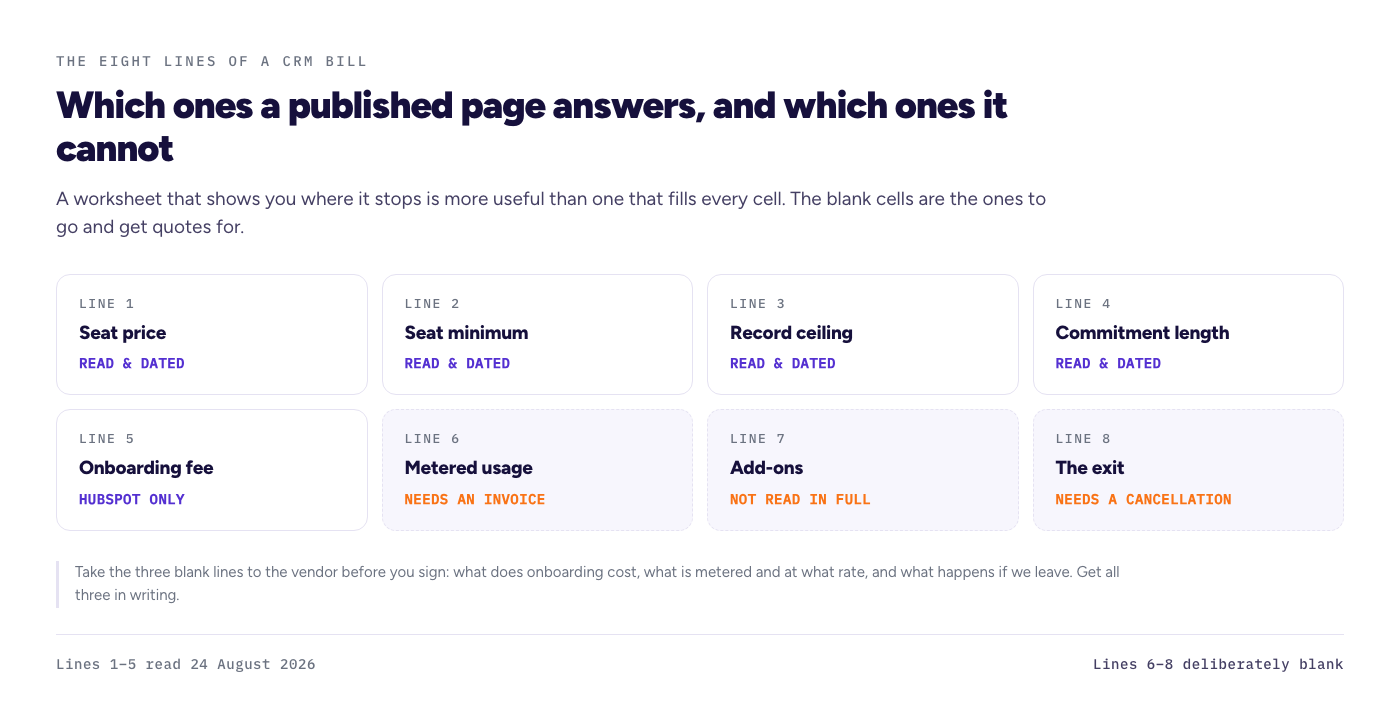
Eight lines. Most comparisons carry one of them.
- The seat price, at a named billing period.
- The seat minimum, which can raise the bill before any feature question.
- The record ceiling, which decides which tier you are allowed to be on, and therefore which seat price applies to everybody.
- The commitment length, which decides whether the lower price is actually a saving.
- Onboarding or implementation fees, charged once and not on the per-seat table.
- Metered usage, such as calling minutes or AI credits, which is billed after the fact.
- Add-ons, such as extra phone lines or extra workspaces.
- The exit, meaning notice period, refundability and what the account becomes when you stop.
Lines 1 to 5 can be read off published pages. Lines 6 to 8 generally cannot, and that is where this site's own worksheet still has holes.
The worksheet, pre-filled
Read 24 August 2026, for the vendors whose pricing pages could be read that day. Where a cell says "not read", the number exists somewhere but we did not read it, so we did not print it.
| Cost line | HubSpot Sales Hub Starter | Freshsales Growth | monday CRM | Close | EngageBay |
|---|---|---|---|---|---|
| Seat price, monthly | $20 | not published on the page we read | Basic $18, Standard $25, Pro $41 | Solo $19, Essentials $49 | Basic $14.99, Growth $64.99, Pro $119.99 |
| Seat price, committed | $7 annual | $9 annual | Basic $12, Standard $17, Pro $28, all annual | Solo $9, Essentials $35, both annual | Basic $12.74, Growth $55.24, Pro $101.99, all two-year |
| Seat minimum | none published | none published | 3 users | Solo is single user only | none published |
| Record ceiling | none on the sales side | none published | 1,000 / 10,000 / 100,000 contacts and deals | Solo 10,000, Essentials up unlimited | 500 / 5,000 / 50,000 contacts |
| Commitment length | 12 months | 12 months, no monthly option published | 12 months | 12 months | 12 or 24 months |
| Onboarding fee | one-time $1,500 Professional, $3,500 Enterprise | not read | not read | not read | not read |
| Metered usage | not read | not read | not read | not read | not read |
| Exit terms | not read | not read | not read | not read | not read |
Two free tiers appeared on the pages we read and belong on any budget sheet as a starting point: EngageBay publishes a free plan with a stated 250-contact cap, and Leadfeeder Lite publishes a free tier showing the last 100 companies per month. Those are stated caps, not caps we have hit.
A worked example: ten people, ten thousand records, one year
The lines above, applied to a single realistic shape. Ten seats, a 10,000-record database, each vendor placed on the cheapest published tier whose ceiling holds that database, everything on the cheapest commitment each vendor publishes.
| Vendor and tier | Why this tier | Per month | For twelve months |
|---|---|---|---|
| HubSpot Sales Hub Starter | No contact tier on the sales side | $70 | $840 |
| Freshsales Growth | No contact cap published on the page we read | $90 | $1,080 |
| monday CRM Standard | Basic caps at 1,000 contacts and deals | $170 | $2,040 |
| Close Essentials | Unlimited contacts and leads from Essentials up | $350 | $4,200 |
| EngageBay Pro, two-year rate | Basic caps at 500 and Growth at 5,000 | $1,019.90 | $12,238.80 |
EngageBay on its annual rather than two-year rate is $1,103.90 a month, or $13,246.80 for the year.
Three things that example demonstrates, none of which appear on a seat-price comparison.
The gap between the cheapest and the most expensive here is roughly fourteen to one, and it is produced almost entirely by line 3, the record ceiling, rather than by line 1. The vendor whose entry price looked mid-range is the most expensive on the sheet once its data ceiling is respected.
HubSpot's total excludes an onboarding fee that its own page publishes at a one-time $1,500 on Professional. Starter does not carry it, but a team that upgrades meets it, and no per-seat comparison shows it.
And every number in that last column assumes twelve months of use. Line 4 decides whether that assumption is safe, and line 8, which is blank, decides what it costs if it is not.
Why are three lines blank?
Because filling them would require things this site has not done, and inventing them would be worse than leaving them empty.
Metered usage is billed after use, not published as a total. Calling minutes, extra phone lines and AI credits all sit here. A published per-minute rate is not a cost until somebody makes the calls, and an estimate presented next to real figures reads as a real figure. No calls have been made on any account here, so there is no invoice and no cost per connected call.
Add-ons are partly published and partly not, and the ones that matter tend to be the ones you discover in month two. We have not read each vendor's add-on list in full, so rather than list some and imply the list is complete, this line stays open.
Exit terms are the largest hole and the most valuable one to close. Notice period, refundability, what the account becomes and how long data stays reachable are the four questions a total-cost sheet should end with, and no account here has ever been canceled. Half of that is readable from published terms and half is only knowable by canceling. Neither has been done.
A worksheet that shows you where it stops is more useful than one that fills every cell. Blank cells are the ones to go and get quotes for.
How to use this sheet for your own shortlist
Work down the lines in order, because each one changes the one below it.
- Count your records first, not your seats. Contacts plus, at some vendors, open deals. That number picks your tier, and the tier picks the per-seat price everybody pays.
- Then apply the seat minimum. If you are under it, your headcount is not your seat count.
- Then multiply, at a named billing period. Write the period next to the number, every time. A total without a period is not comparable to anything.
- Then decide your honest horizon. If you are not confident about month nine, the committed rate is not obviously the cheap option, and the narrower the toggle gap the truer that gets.
- Then ask the vendor the three blank lines directly, before signing: what does onboarding cost, what is metered and at what rate, and what happens if we leave. Get all three in writing.
What this page does not do
It does not tell you which CRM to buy, and it compares no features at all. A tier that fits your data may still be the wrong product. It does not include four vendors, named below, whose pages could not be read on 24 August 2026, and any of them could beat everything in the worked example. It does not price metered usage, add-ons or exit, for the reasons above. And nothing here has been used: no account, no invoice, no timed setup, no cancellation.
Which vendors we could not read, and why
Each was attempted on 24 August 2026 and none is filled in from another source:
- Pipedrive and Salesforce: both pricing pages refused the request. No figure printed.
- Zoho CRM: the page served Indian rupees in that session. We print no converted dollar figure the vendor does not charge.
- Brevo, treated here only as a sales-platform CRM: the page returned no readable plan content.
- Streak: the two toggle figures could not be attributed to a billing period with confidence, so no per-user price appears.
- monday Ultimate: quote only, sales call required. A tier with no published price cannot go on a worksheet, and that is itself worth writing on the worksheet.
FAQ
What is the total cost of ownership of a CRM?
The seat price is one of eight lines. The others are the seat minimum, the record ceiling that decides your tier, the commitment length, onboarding fees, metered usage such as calling, add-ons, and the cost of leaving. In the worked example above, the record ceiling moved the annual total further than the seat price did.
What hidden costs do CRM pricing pages leave out?
Mostly the ones charged separately: onboarding, which HubSpot's own page publishes at a one-time $1,500 for Professional and $3,500 for Enterprise; metered usage such as calling minutes and AI credits, which is billed after the fact; and anything to do with leaving. Seat minimums and record ceilings are published, but never inside the headline price.
How much should a small business budget for a CRM per year?
For ten people with a 10,000-record database, on prices read 24 August 2026 and each vendor's cheapest commitment, the vendors we could read ranged from $840 to $12,238.80 for the year. That is a real range, not a spread of quality, and it is driven mostly by how each vendor's tiers treat your record count.
Why does your worksheet have empty columns?
Because those numbers come from an invoice or a cancellation, and neither exists here yet. We would rather publish a sheet that shows its own gaps than fill them with estimates that would sit next to dated figures and be read as equally solid.
Should I ask a vendor for a quote instead?
For anything above a handful of seats, yes, and take the three blank lines with you: onboarding, metered rates, and exit terms in writing. The published price is a starting point for comparison, not a quote, and at twenty-five seats it is frequently not what anyone pays.